المكتب: رقم 17، مجمع رونجوي للتكنولوجيا الصناعية بمجمع رونجوي للتكنولوجيا طريق كيوان الثالث، شوندي، فوشان، قوانغدونغ، جمهورية الصين الشعبية

بي-تك آسيا المحدودة
شكراً لك على رسالتك.
شكراً لك على رسالتك.
When a hotel door lock fails, first identify whether the problem affects one card, one room, or multiple rooms. Check the card validity, room number, access time, battery state, lock response, and handle or mortise alignment before changing system settings.
Safety and authorization: Guest-facing checks should stop at card validity, room assignment, time settings, battery indication, and visible alignment. Reconnecting wiring, resetting management cards, opening the lock body, or changing access authorization must be done by an authorized administrator or qualified installer using the current model manual. Do not bypass a lock or force the handle.
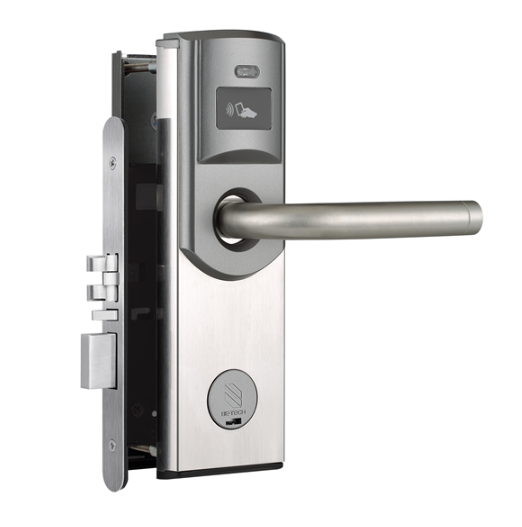
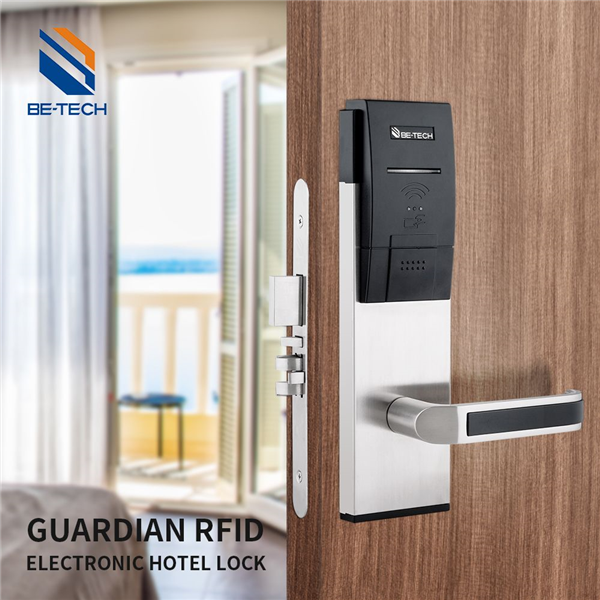
The RFID key card hotel lock panel consists of two panels: front and back panels.
Front panels: a hotel lock mainboard, an exterior door handle, and a mechanical lock cylinder.
Back panels: an interior door handle, hotel door lock battery packs box, and a thumb knob.
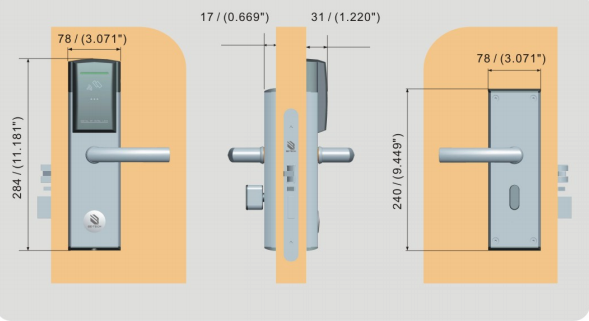
Through the insertion of two handle shafts in the lock tenon and the fixation of four corners of screws, these two panels have a good connection. After reading the card, the guest can use the outer handle to open, and the inner door handle can open the door at any time.
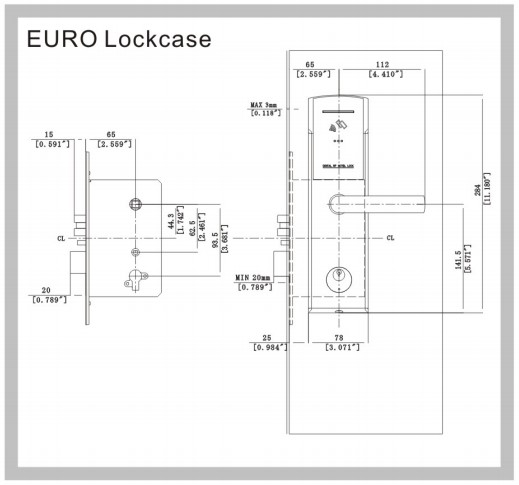
The lock mortise is the core component of the RFID hotel lock, responsible for the hotel lock’s main locking work. The thumb knob of the interior handle controls the deadbolt and the handle on the front and back panels govern the lock latch bolt.
・ Incorrect installation: The incorrect installation of the lock strike of the hotel door lock causes the latch bolt to fail to pop out or the latch bolt to be inflexible and unable to pop out.
・ Solution 1: An authorized installer should check and adjust the lock strike according to the model installation manual.
・ wrong room number
・ Expired card or wrong hotel door lock
・ Caused by the inconformity between the hotel lock time and the computer time, the buzzer emits a beep, and the motor does not sound.
・the buzzer beeps three times “di,” “di,” and “di,” and the motor does not sound, is the result of the wrong setting of the room number card
・ Solution1 Reset: the room number card, the management card, and the new room number card;
・Solution 2 Reissue: the time card and reread the time card in the door lock
・ Battery: Dead or incorrect installation
・Lock Body: power cable is off
・ Door Lock: Not authorized
・ Solution 1: Check the battery or install new hotel lock batteries correctly
・ Solution 2: Properly reconnect the cable between mainboard and hotel lock batteries pack;
Solution 3: Reread the authorization card;
・ The position point of the exterior door handles is not aligned with the positioning arrow on the lock mortise.
・ The spindle of the handle is not put into the square hole of the door handle;
・ No spring is set in the door handle square hole, and the spindle of the door handle retracts into the handle square hole;
・ Solution 1 Align and fix above these two points
・ Solution 2 Reinstall: The spindle of the hotel door lock handle
・ Solution 3 Reinstall: The handle spring
The page lists incorrect strike installation as a possible cause. The suggested fix is to adjust the lock strike to the correct position.
Possible causes include the wrong room number, an expired card, the wrong lock, or a mismatch between lock time and computer time.
Check the battery, battery installation, power cable connection, and whether the lock has been authorized.
The page lists handle alignment, spindle installation, and handle spring issues as possible causes.
For product selection, manuals, and project support, see أقفال الفنادق الإلكترونية, BIS Hotel, Manuals and support documents, and Contact support.