المكتب: رقم 17، مجمع رونجوي للتكنولوجيا الصناعية بمجمع رونجوي للتكنولوجيا طريق كيوان الثالث، شوندي، فوشان، قوانغدونغ، جمهورية الصين الشعبية

بي-تك آسيا المحدودة
شكراً لك على رسالتك.
شكراً لك على رسالتك.

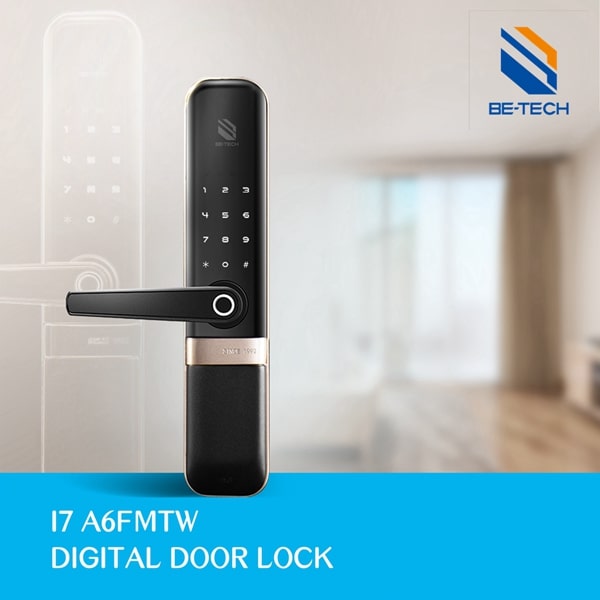
The steps below describe the installation sequence for the K5FMT electronic touchpad door lock shown in this guide. Other models may use different lock bodies, connectors, mounting dimensions, or programming procedures. Check the model-specific manual before drilling or wiring.
Confirm the door opening direction, lock body and mortise fit, door thickness, mounting holes, power requirements, connector condition, and the model-specific installation manual. Do not drill or connect the lock until the dimensions and wiring are confirmed.

To avoid the wrong installation of the door lock, you need to check the door’s opening direction. If the front body is fastened on the left, it’s left opening. By contrast, if it is fastened on the right, it’s right opening.
●Loosen the screw with the Allen key, then take out the handle.
●Change the handle direction and install o the front body, fix it with a handle screw.
●Screw out the clutch screw, and fix it into the other clutch hole.
●Tip: Please check the correct position of the clutch screw in the different opening directions.
●Loosen the handle screw and turn the handle into another direction.
●Use the Allen key to fix the handle with a handle screw.
●Insert the spindle into the clutch, then make the steel pin through the clutch hole and spindle hole.
●Make sure the steel pin is through the spindle hole and clutch hole, then ben the tail of the steel pin.
●Install 2 mounting posts and 1 upper mounting post to the front body.
Insert the door lock mortise into the door hole and fix it with ST3.5*25 screws.
●Combine the front body with a rubber plate and hold it on the door.
●Make sure the connector-A and spindle are through the door hole.
Combine the back body with a rubber plate and hold it on the door, then make connector-A combine with Connector-B, making sure the spindle can insert the back handle. Then fix the back body with a screw.
●Rotate the handle to make sure the screw can fix the back body.
●Tips: Take care of the handle when fixing the screw to avoid scraping the handle.
Put 4 batteries into the battery case and close the battery cover.
Put the buckle box into the door hole, and fix the strike plate and buckle box with 2 screws.
After the installation, you may also confuse about the following operation in the digital door lock. In this section, the author would ask a series of frequently asked questions about this series of the electronic digital door lock.
Enable: switch on the back cover plate
Disable: Two methods are available to disable privacy mode. The first one is manually switching on the back cover plate. The second one is to enter the master password and rotate the handle to open the door.
Enable Passage Mode: Enter master password #5#00#
Disable Passage Mode: Set auto-lock time
The self-locking function is to re-lock the unlocking door after a specified time(3-30 seconds). To set the auto-locking time, you need to enter master password # 5# time (3-30)# master password #.
As you see, in some models of door locks, 11 steps can let you perfectly install the electronic digital door lock. Therefore, you don’t have to worry too much about the installation of the keyless electronic digital door lock. By the way, you need to consult your supplier about how to install an electronic digital door lock in advance, in case of purchasing the wrong electronic digital door lock.
As one of the leading electronic door lock suppliers in China, Be-Tech has launched a series of keyless electronic digital door locks that are easy to install. If you want to get the price and more info about the keyless electronic digital door locks, please contact Be-Tech! Tel: +86-757-28376123
Test the handle, latch, privacy mode, passage mode, auto-lock setting, emergency opening method, and battery installation. Keep the mechanical override and product manual available for service.
See manuals, electronic digital locks, or model support.