Office: No.17, Ronggui Technology Industrial Park Keyuan 3rd Road, Shunde, Foshan, Guangdong, P.R.China

Be-Tech Asia Limited
Thank you for your message.
Thank you for your message.
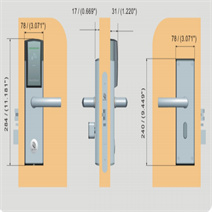
Common hotel door lock problems can come from installation, card authorization, room number settings, lock time settings, batteries, cables, or handle and mortise alignment. This guide organizes troubleshooting around RFID hotel lock structure and several common failure cases.
Use the checks below to decide whether the issue is related to the lock panel, mortise, latch, battery pack, card setting, room number, time card, or handle installation. For related hotel lock systems, see Electronic Hotel Locks, System & Software, and Hotels and Resorts.
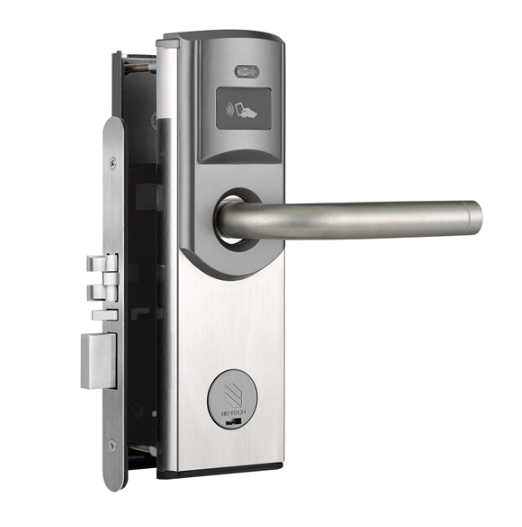
The RFID key card hotel lock panel consists of two panels: front and back panels.
Front panels: a hotel lock mainboard, an exterior door handle, and a mechanical lock cylinder.
Back panels: an interior door handle, hotel door lock battery packs box, and a thumb knob.
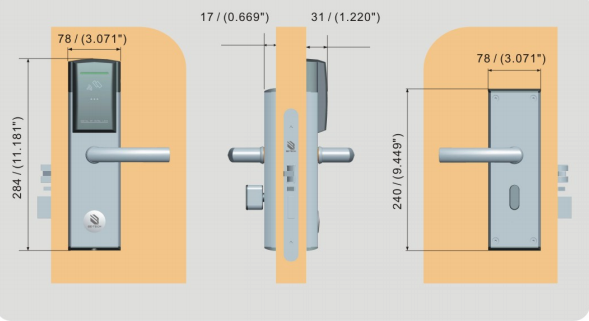
Through the insertion of two handle shafts in the lock tenon and the fixation of four corners of screws, these two panels have a good connection. After reading the card, the guest can use the outer handle to open, and the inner door handle can open the door at any time.
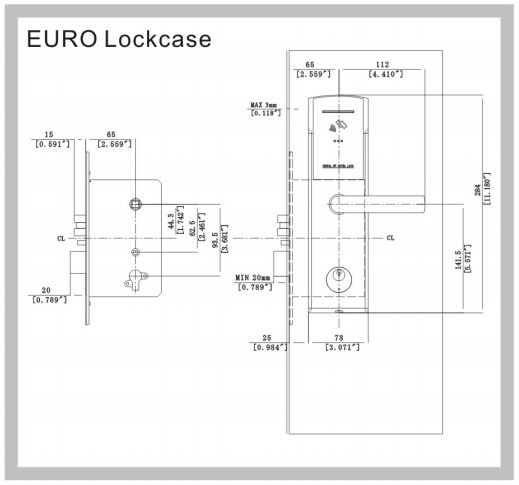
The lock mortise is the core component of the RFID hotel lock, responsible for the hotel lock’s main locking work. The thumb knob of the interior handle controls the deadbolt and the handle on the front and back panels govern the lock latch bolt.
・ Incorrect installation: The incorrect installation of the lock strike of the hotel dock causes the latch bolt to fail to pop out or the latch bolt to be inflexible and unable to pop out.
・ Solution 1: Adjust the lock strike to the right position.
・ wrong room number
・ Expired card or wrong hotel door lock
・ Caused by the inconformity between the hotel lock time and the computer time, the buzzer emits a beep, and the motor does not sound.
・the buzzer beeps three times “di,” “di,” and “di,” and the motor does not sound, is the result of the wrong setting of the room number card
・ Solution1 Reset: the room number card, the management card, and the new room number card;
・Solution 2 Reissue: the time card and reread the time card in the door lock
・ Battery: Dead or incorrect installation
・Lock Body: power cable is off
・ Door Lock: Not authorized
・ Solution 1: Check the battery or install new hotel lock batteries correctly
・ Solution 2: Properly reconnect the cable between mainboard and hotel lock batteries pack;
Solution 3: Reread the authorization card;
・ The position point of the exterior door handles is not aligned with the positioning arrow on the lock mortise.
・ The spindle of the handle is not put into the square hole of the door handle;
・ No spring is set in the door handle square hole, and the spindle of the door handle retracts into the handle square hole;
・ Solution 1 Align and fix above these two points
・ Solution 2 Reinstall: The spindle of the hotel door lock handle
・ Solution 3 Reinstall: The handle spring
The page lists incorrect strike installation as a possible cause. The suggested fix is to adjust the lock strike to the correct position.
Possible causes include the wrong room number, an expired card, the wrong lock, or a mismatch between lock time and computer time.
Check the battery, battery installation, power cable connection, and whether the lock has been authorized.
The page lists handle alignment, spindle installation, and handle spring issues as possible causes.